




 SoftArchive.png)
EViews Enterprise 13
EViews is a modern econometric, statistics, and forecasting package that offers powerful analytical tools within a flexible, easy-to-use interface. Using EViews, you can quickly and efficiently manage your data, perform econometric and statistical analysis, generate forecasts or model simulations, and produce high quality graphs and tables for publication or inclusion in other applications. EViews is designed with your workflow in mind. The innovative EViews user-interface simplies every step of the process, from data input and import, to data visualization, statistical analysis, estimation, forecasting and model solving, publication quality presentation output. Need to import Excel data? Just drag-and-drop your Excel file onto EViews and we'll automatically import the data. Need to produce a histogram of your data? A couple of mouse clicks, and you're done. Want to link your custom formatted table into PowerPoint? Simply copy-and-paste the table and tell PowerPoint to update the table when your EViews data change. What's New EViews 13 features a wide range of exciting changes and improvements. The following is an overview of the most important new features in Version 13. EViews Interface and Programming - Pane and Tab alternative user interface - Program Language Debugging - Jupyter Notebook Support - Program dependency tracking Data Handling - Daily seasonal adjustment - Improved Excel writing engine - World Health Organisation connectivity - Trading Economics connectivity - National statistical bureaus connectivity - Holiday function improvements -Miscellaneous Improvements New Graph, Table and Geomap Features - Line and Shade Transparency -Custom Data Labels - High-low-median Colormap Presets -Miscellaneous Improvements Econometrics and Statistics Estimation - Non-linear ARDL Estimation - Improved PMG Estimation - Difference-in-Difference Estimation - Improved VEC Estimation - Bayesian Time-varying Coefficient Vector Autoregression Testing and Diagnostics - Cointegration Testing Enhancements - ARDL Diagnostics - Pool Mean Group / Panel ARDL Diagnostics - Enhanced Impulse Response Display
 SoftArchive.png)
QSR International NVivo Enterprise 20
NVivo helps you discover more from your qualitative and mixed methods data. Uncover richer insights and produce clearly articulated, defensible findings backed by rigorous evidence. A place to organize, store and analyze your data Work more efficiently, conduct deeper analysis from more sources, and defend your findings with NVivo. Import data from virtually any source Analyze data with advanced management, query, and visualization tools Ask complex questions of your data to identify themes and draw clear conclusions Achieve more robust research results in less time Discover the ways NVivo works for you NVivo features best-in-class capability options for all researchers, so you can ask more of your data. Boost Productivity Find common themes and evidence-based insights faster, so you can do more in less time. Uncover Deeper Insights Ask critical questions of data and find patterns and connections that aren't possible manually. Make Robust Conclusions Have the full picture when articulating outcomes or evaluating impact. Deliver Comprehensive Findings Reach and present valid, defensible conclusions to create effective outcomes.
JMP Statistical Discovery JMP Pro 2026 M...
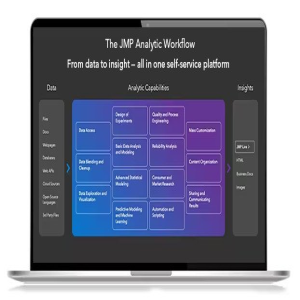
JMP is powerful statistical software designed with scientists and engineers in mind, but ideal for anyone solving problems with data. Packed with tools for data preparation, analysis, graphing, and so much more, JMP has everything you and your organization need to be truly unstoppable with data. Statistics made visual, powerful, and approachable. JMP makes it easy to take on the most complex data challenges. Its simple, interactive interface lets you take your productivity further, and with no code required, there are no obstacles between you and any analysis or graph you want to create. Get insights faster. Get home earlier. Your time matters. With JMP's extensive suite of capabilities and code-free automation, you can quickly go from raw data to actionable insight—all within one streamlined, self-service platform. Unlock efficiency gains to accelerate innovation. Industries with high product and process innovation have complex problems to solve and often require statistics to solve them. With JMP, scientists and engineers in these industries can seamlessly apply statistical techniques that support engineering efficiency and help propel their organizations to the forefront of the market. Maximize your potential. Realizing potential requires the right support. With JMP, no matter where you are in your analytic journey, you have a partner in life-long learning. Our user community, support experts and learning resources are purpose-built to empower anyone looking to start, build, advance, or apply their skills with data.
JMP Statistical Discovery JMP Pro 2026 M...
JMP is powerful statistical software designed with scientists and engineers in mind, but ideal for anyone solving problems with data. Packed with tools for data preparation, analysis, graphing, and so much more, JMP has everything you and your organization need to be truly unstoppable with data. Statistics made visual, powerful, and approachable. JMP makes it easy to take on the most complex data challenges. Its simple, interactive interface lets you take your productivity further, and with no code required, there are no obstacles between you and any analysis or graph you want to create. Get insights faster. Get home earlier. Your time matters. With JMP's extensive suite of capabilities and code-free automation, you can quickly go from raw data to actionable insight—all within one streamlined, self-service platform. Unlock efficiency gains to accelerate innovation. Industries with high product and process innovation have complex problems to solve and often require statistics to solve them. With JMP, scientists and engineers in these industries can seamlessly apply statistical techniques that support engineering efficiency and help propel their organizations to the forefront of the market. Maximize your potential. Realizing potential requires the right support. With JMP, no matter where you are in your analytic journey, you have a partner in life-long learning. Our user community, support experts and learning resources are purpose-built to empower anyone looking to start, build, advance, or apply their skills with data.
MiniTAB Workspace 2026
Searching for simple solutions to achieve the greatest impact with your work and provide business value? Minitab Workspace enables you to move work forward with powerful visual tools, process maps, brainstorming diagrams and forms in one intuitive interface right at your finger tips. Our tools help form processes and identify opportunities, ultimately making problems easier to solve. Process Map Build flowcharts with ease to help understand, see and communicate all the activities in a process with the added ability to customize the level of detail necessary. Fishbone Map out and identify every relevant element for a holistic view of your processes or projects, regardless if they are simple or complex. Value Stream Map Visualize the flow of deliverables and information through your organization, department, or team and showcase the value it creates for your customers and stakeholders. Failure Modes and Effects Analysis (FMEA) Mitigate risk of failure in a process or product design by identifying potential failures and taking the actions needed to achieve projected goals. Note: Workspace's FMEA meets the latest AIAG-VDA Standards to ensure industry-leading standards for product and process development. Five Whys Determine the root cause of a problem through direct questions, relationship mapping and reflection to prevent recurrence in the future. Monte Carlo Simulation Evaluate and understand risk in a process or project, forecast the results, and optimize effortlessly with speed and efficiency.
.png)
StataCorp StataNow MP 2026 MAC OS
What is StataNow? First and foremost, StataNow is Stata. It is a continuous-release version of Stata that offers new features as soon as they are ready. StataNow is the result of our ongoing effort to deliver the best Stata—the most current Stata—to our users. StataNow provides access to new features as soon as they are certified ready by the development team. Those features are added to StataNow via free updates as soon as they are available. Thus, StataNow provides access to new features sooner. For instance, StataNow 19 contains features that will also be part of a future major release, Stata 20. Local average treatment effects (LATE) Import Parquet data Psychometric meta-analysis Causal mediation analysis with two mediators Proportional odds test Moderating effects for heterogeneous DID Power analysis for logistic regression Convert Word to HTML, EPUB, and more VCE additions for linear models Discrete derivatives
StataCorp StataNow SE 2026
What is StataNow? First and foremost, StataNow is Stata. It is a continuous-release version of Stata that offers new features as soon as they are ready. StataNow is the result of our ongoing effort to deliver the best Stata—the most current Stata—to our users. StataNow provides access to new features as soon as they are certified ready by the development team. Those features are added to StataNow via free updates as soon as they are available. Thus, StataNow provides access to new features sooner. For instance, StataNow 19 contains features that will also be part of a future major release, Stata 20. Local average treatment effects (LATE) Import Parquet data Psychometric meta-analysis Causal mediation analysis with two mediators Proportional odds test Moderating effects for heterogeneous DID Power analysis for logistic regression Convert Word to HTML, EPUB, and more VCE additions for linear models Discrete derivatives
StataCorp StataNow MP 2026
What is StataNow? First and foremost, StataNow is Stata. It is a continuous-release version of Stata that offers new features as soon as they are ready. StataNow is the result of our ongoing effort to deliver the best Stata—the most current Stata—to our users. StataNow provides access to new features as soon as they are certified ready by the development team. Those features are added to StataNow via free updates as soon as they are available. Thus, StataNow provides access to new features sooner. For instance, StataNow 19 contains features that will also be part of a future major release, Stata 20. Local average treatment effects (LATE) Import Parquet data Psychometric meta-analysis Causal mediation analysis with two mediators Proportional odds test Moderating effects for heterogeneous DID Power analysis for logistic regression Convert Word to HTML, EPUB, and more VCE additions for linear models Discrete derivatives
Minitab 2026 Multilingual
Harness the power of statistics. Data is everywhere, but are you truly taking advantage of yours? Minitab Statistical Software can look at current and past data to discover trends, find and predict patterns, uncover hidden relationships between variables, and create stunning visualizations to tackle even the most daunting challenges and opportunities. With powerful statistics, industry-leading data analytics, and dynamic visualizations on your side, the possibilities are endless. Discover Regardless of statistical background, Minitab can empower all parts of an organization to predict better outcomes, design better products and improve processes to generate higher revenues and reduce costs. Only Minitab offers a unique, integrated approach by providing software and services that drive business excellence now from anywhere thanks to the cloud. Key statistical tests include t tests, one and two proportions, normality test, chi-square and equivalence tests. Predict Access modern data analysis and explore your data even further with our advanced analytics and open source integration. Skillfully predict, compare alternatives and forecast your business with ease using our revolutionary predictive analytics techniques. Use classical methods in Minitab Statistical Software, integrate with open-source languages R or Python, or boost your capabilities further with machine learning algorithms like Classification and Regression Trees (CART®) or TreeNet® and Random Forests®, now available in Minitab's Predictive Analytics Module. Achieve Seeing is believing. Visualizations can help communicate your findings and achievements through correlograms, binned scatterplots, bubble plots, boxplots, dotplots, histograms, heatmaps, parallel plots, time series plots and more. Graphs seamlessly update as data changes and our cloud-enabled web app allows for secure analysis sharing with lightning speed.
Nitro PDF Pro 2026 Enterprise Multiling...
Windows x64 Nitro PDF Pro gives you everything you need to create, convert, edit, sign, and share standard PDF files. It’s simple, straightforward, and intuitive to use. So you can work more productively, your way. The software allows you to share your files with others. No matter what platform or device they’re on, and Nitro Productivity Suite makes conversion easy. Convert one or more files to PDF with just a click or two. Reuse and repurpose PDF-based content with greater accuracy. Share files with the peace of mind, knowing almost anyone on almost any machine can open, view, and review – every time. With Nitro Pro’s industry-leading conversion technology and array of extraction tools you can easily repurpose text and images from reports, presentations, and more for reuse in any other application. Directly edit your PDF files more easily. Just click, and edit. Nitro Pro 12 enables you to edit entire paragraphs with ease, automatically reflowing text as you type – like you would in a word processor. Nitro PDF Pro is the complete Adobe Acrobat alternative. It enables you to do more with PDF through powerful tools. Create, convert, edit, combine, secure, annotate, form-fill, and save 100% industry-standard PDF files. Recipient of multiple best product awards, Nitro Pro is specifically designed for the business user. That makes working with PDF faster and easier than ever before! Nitro PDF Pro FEATURES • Create – Create universally compatible PDFs that can be opened and viewed with any PDF solution. • Edit – Add, delete, and modify text and images in multiple windows at once; insert, extract, and rotate pages; and copy/paste text into Word or Office files. • Convert – Now with faster conversion speeds, Nitro converts any PDF to and from Microsoft Word, Excel, and PowerPoint on your desktop, tablet, or phone. • Combine – Merge PDFs or other document types into a single, searchable PDF that’s simple to share and view. • Review – Fully trackable commenting, annotation, markup, and version control enable seamless review and collaboration. • Sign – Nitro’s updated signing experience allows you to apply and request electronic signatures anytime, anywhere on any desktop or tablet. • Protect – Set user permissions, prevent unauthorized copying, editing, and printing with password protection, and rest assured with advanced 256-bit encryption. • Whiteout + Redaction – White out text and images for easy editing and form filling, or redact text and images to permanently delete all hidden data. • Optical Character Recognition (OCR) – Nitro’s improved OCR performance turns document scans into searchable, editable PDFs with greater detail and accuracy in document colors, layout, and design. • CAD-compatibility – Work with high-quality CAD (Computer-Aided Design) drawings in PDF, including exporting to PDF from Revit, AutoCAD, and Microstation. • Compare – Easily spot discrepancies and analyze differences in text and images when comparing two versions of a file. • Integrations – Integrations with Dropbox, Google Drive, OneDrive, and Box ensure quick, easy access to your cloud-based documents.
.png)
Microsoft SQL Server Standard 2019
Apply intelligence across all your data with SQL Server 2019 Whether your data is structured or unstructured, query and analyze it using the data platform with industry-leading performance and security. What you'll love about SQL Server 2019 Analyze every type of data Gain insights from all your data by querying across relational, non-relational, structured, and unstructured data, for a complete picture of your business using SQL Server 2019 with Apache Spark built in. Choose your language and platform Get the flexibility to use the language and platform of your choice with open source support. Run SQL Server on Linux containers with Kubernetes support or on Windows. Rely on industry-leading performance Take advantage of breakthrough scalability and performance to improve the stability and response time of your database—without making app changes. Get high availability for mission-critical applications, data warehouses, and data lakes. Trust nine years of proven security leadership Achieve your security and compliance goals using the database rated as least vulnerable over the last nine years. Stay a step ahead using built-in features for data classification, data protection, and monitoring and alerts Make faster, better decisions Turn data into answers using the enterprise reporting capabilities of SQL Server Reporting Services along with the included Power BI Report Server, which gives your users access to rich, interactive Power BI reports on any device. Query all data types with SQL Server 2019 Big Data Clusters Manage your big data environment more easily with Big Data Clusters. They provide key elements of a data lake—Hadoop Distributed File System (HDFS), Apache Spark, and analytics tools—deeply integrated with SQL Server and fully supported by Microsoft. Easily deploy your database using Linux containers on a Kubernetes cluster.
.png)
Microsoft SQL Server Enterprise Core 201...
Apply intelligence across all your data with SQL Server 2019 Whether your data is structured or unstructured, query and analyze it using the data platform with industry-leading performance and security. What you'll love about SQL Server 2019 Analyze every type of data Gain insights from all your data by querying across relational, non-relational, structured, and unstructured data, for a complete picture of your business using SQL Server 2019 with Apache Spark built in. Choose your language and platform Get the flexibility to use the language and platform of your choice with open source support. Run SQL Server on Linux containers with Kubernetes support or on Windows. Rely on industry-leading performance Take advantage of breakthrough scalability and performance to improve the stability and response time of your database—without making app changes. Get high availability for mission-critical applications, data warehouses, and data lakes. Trust nine years of proven security leadership Achieve your security and compliance goals using the database rated as least vulnerable over the last nine years. Stay a step ahead using built-in features for data classification, data protection, and monitoring and alerts Make faster, better decisions Turn data into answers using the enterprise reporting capabilities of SQL Server Reporting Services along with the included Power BI Report Server, which gives your users access to rich, interactive Power BI reports on any device. Query all data types with SQL Server 2019 Big Data Clusters Manage your big data environment more easily with Big Data Clusters. They provide key elements of a data lake—Hadoop Distributed File System (HDFS), Apache Spark, and analytics tools—deeply integrated with SQL Server and fully supported by Microsoft. Easily deploy your database using Linux containers on a Kubernetes cluster. What's included
.png)
Microsoft SQL Server Enterprise 2019
.png)
Microsoft SQL Server 2022 Standard Editi...
SQL Server 2022 is the most Azure-enabled release of SQL Server yet, with continued innovation in security, availability, and performance. - Integration with Azure Synapse Link and Azure Purview enables customers to drive deeper insights, predictions, and governance from their data at scale. - Cloud integration is enhanced with disaster recovery (DR) to Azure SQL Managed Instance, along with no-ETL (extract, transform, and load) connections to cloud analytics, which allow database administrators to manage their data estates with greater flexibility and minimal impact to the end-user. - Performance and scalability are automatically enhanced via built-in query intelligence. There is choice and flexibility across languages and platforms, including Linux, Windows, and Kubernetes.
.png)
Microsoft SQL Server 2022 Core Edition
SQL Server 2022 is the most Azure-enabled release of SQL Server yet, with continued innovation in security, availability, and performance. - Integration with Azure Synapse Link and Azure Purview enables customers to drive deeper insights, predictions, and governance from their data at scale. - Cloud integration is enhanced with disaster recovery (DR) to Azure SQL Managed Instance, along with no-ETL (extract, transform, and load) connections to cloud analytics, which allow database administrators to manage their data estates with greater flexibility and minimal impact to the end-user. - Performance and scalability are automatically enhanced via built-in query intelligence. There is choice and flexibility across languages and platforms, including Linux, Windows, and Kubernetes.
Microsoft SQL Server 2022 Enterprise Edi...
SQL Server 2022 is the most Azure-enabled release of SQL Server yet, with continued innovation in security, availability, and performance. - Integration with Azure Synapse Link and Azure Purview enables customers to drive deeper insights, predictions, and governance from their data at scale. - Cloud integration is enhanced with disaster recovery (DR) to Azure SQL Managed Instance, along with no-ETL (extract, transform, and load) connections to cloud analytics, which allow database administrators to manage their data estates with greater flexibility and minimal impact to the end-user. - Performance and scalability are automatically enhanced via built-in query intelligence. There is choice and flexibility across languages and platforms, including Linux, Windows, and Kubernetes.
.png)
Microsoft SQL Server 2025 Standard
Microsoft SQL Server 2025 Standard est un système de gestion de bases de données relationnelles (SGBDR) haut de gamme. Conçu pour les environnements exigeants, il intègre nativement l'intelligence artificielle (recherche vectorielle), des performances maximales et une haute disponibilité pour les charges de travail critiques
.png)
Microsoft SQL Server 2025 Enterprise 2-C...
Microsoft SQL Server 2025 Enterprise 2-Core est un système de gestion de bases de données relationnelles (SGBDR) haut de gamme. Conçu pour les environnements exigeants, il intègre nativement l'intelligence artificielle (recherche vectorielle), des performances maximales et une haute disponibilité pour les charges de travail critiques
.png)
Microsoft SQL Server Enterprise 2025
Microsoft SQL Server 2025 Enterprise est un système de gestion de bases de données relationnelles (SGBDR) haut de gamme. Conçu pour les environnements exigeants, il intègre nativement l'intelligence artificielle (recherche vectorielle), des performances maximales et une haute disponibilité pour les charges de travail critiques
.png)
Microsoft Visual Studio 2026 Profesional
Visual Studio 2026 is the best Visual Studio ever. Our first 64-bit IDE makes it easier to work with even bigger projects and more complex workloads. The stuff you do every day—like typing code and switching branches—feels more fluid more responsive. And out-of-memory errors? They’re about to be a distant memory. Productive Scale to work on projects of any size and complexity with a 64-bit IDE. Code with a new Razor editor that can refactor across files. Diagnose issues with visualizations for async operations and automatic analyzers. Modern Develop cross-platform mobile and desktop apps with .NET MAUI. Build responsive Web UIs in C# with Blazor. Build, debug, and test .NET and C++ apps in Linux environments. Use hot reload capabilities across .NET and C++ apps. Edit running ASP.NET pages in the web designer view. Innovative AI-powered code completions. Work together in real-time with shared coding sessions. Clone repos, navigate work items, and stage individual lines for commits. Automatically set up CI/CD workflows that can deploy to Azure. Type less, code more IntelliCode is a powerful set of automatic code completion tools that understand your code context: variable names, functions, and the type of code you’re writing. This makes IntelliCode able to complete up to a whole line at once, helping you code more accurately and confidently. Deep insights into your code CodeLens helps you easily find important insights, like what changes have been made, what those changes did, and whether you’ve run unit testing on your method. Essential information—like references, authors, tests, and commit history—is right there to guide you toward the best and most informed decisions about your work. Share more than screens Live Share’s real-time collaboration sessions speed up your team’s edit and debugging cycles, no matter the language or platform. Personalized sessions with access controls and custom editor settings make sure everyone stays code-consistent. Stop problems before they’re problems Integrated debugging is a core part of every Visual Studio product. You can step through your code and look at the values stored in variables, set watches on variables to see when values change, examine the execution path of your code, and just about anything else you need to check out under the hood. Instant impact Analyze how much code you’re testing and see instant results in a test suite that’s been optimized for efficiency. Know the impact of every change you make with advanced features that test code as you type. With WSL integration, you can test on both Windows and Linux to make sure your app runs everywhere. Azure deployment Deploying to the cloud gets even easier. We supply all the templates you’ll need for common application types and local emulators. And you can stay right in Visual Studio to provision dependencies, like Azure SQL databases and Azure Storage accounts. You can even diagnose any issues quickly with the remote debugger attached directly to your application. Integrated version control Visual Studio 2026 has built-in support for Git version control to clone, create, and open your own repositories. The Git tool window has everything you need for committing and pushing changes to code, managing branches, and resolving merge conflicts. If you have a GitHub account, you can manage those repos directly within Visual Studio. What's New System Requirements Windows 11 — supported versions of the following editions: Home, Pro, Pro Education, Pro for Workstations, Enterprise, and Education, including ARM64 editions Supported Windows 11 OS versions can be found at Windows 11 Enterprise and Education Support. Windows 10 — supported versions of the following editions: Home, Professional, Education, and Enterprise. Supported Windows 10 OS versions can be found at Windows 10 Enterprise and Education Support. Windows Server: Standard and Datacenter editions of 2025, 2022, 2019.

Blood Pressure & BP Tracker
Requirements: Android 6.0+ | File size: 47,1 / 47,2 MB Blood Pressure Tracker: Your Essential Companion for Heart Health & Hypertension Management. Take control of your cardiovascular wellness with Blood Pressure Tracker, the ultimate bp tracker app designed to monitor, analyze, and manage hypertension, hypotension, and heart-related conditions. Ideal for individuals prioritizing heart health, this bp journal tool empowers you to track blood pressure, pulse, and medication efficacy while uncovering vital trends to support informed conversations with your cardiologist. Key Features Comprehensive Blood Pressure Logging - Quickly record systolic, diastolic, pulse (via heart rate monitor compatibility), and weight measurements. Add notes to track symptoms or triggers—perfect for managing high or low bp monitor readings. Smart Tagging System & Trend Analysis - Assign custom tags (e.g., ""after exercise,"" ""post-meal"") to each entry in your bp journal. Uncover patterns through 11+ interactive charts, displaying daily, weekly, or monthly blood pressure averages. Medication Tracker & Reminders - Log prescriptions and evaluate effectiveness alongside your bp monitor data. Ideal for hypertension patients tracking treatment progress. Customizable Alerts & Backups - Set reminders for measurements and back up blood pressure history to share with doctors. Export PDF/XLS reports from your bp tracker effortlessly. Clinically Informed Ranges - Personalize systolic/diastolic thresholds (aligned with AHA guidelines) in your bp monitor app. Adapts to your unique health profile. Why Choose This App? - For Heart Conditions: Tailored for hypertension/hypotension patients using a bp tracker or heart rate monitor. - Data-Driven Insights: Spot anomalies and stabilize blood pressure with trend analysis. - Secure & Accessible: Protect long-term bp journal records with automatic backups. Note: Requires a manual bp monitor (sphygmomanometer) for input. Does not measure blood pressure directly.
PDF Converter AI Convert files
Requirements: Android 6.0+ | File size: 47,5 MB PDF Converter - Convert files and photos into PDF, DOC, PPT, XLS, RTF, ODT, JPG, PNG. Convert documents, photos and files into PDF, DOC, PPT, XLS, RTF, ODT, JPG, PNG. PDF Converter - Convert files and photos into PDF by Offiwiz is a document converter to convert files to other extensions: you can convert PDF to Word, TXT, PPT, DOC, JPG, PNG, XLS and many more. This PDF Converter app is also a PDF Reader and a PDF Editor. Choose the extension, output format and convert any document, perfect for creating Power Point presentations and PDF works. PDF Converter - Convert files and photos into PDF, DOC, PPT, XLS, RTF, ODT, JPG, PNG - PDF Reader & PDF Editor. Main characteristics PDF Converter makes the following conversion - Word to PDF, Word to TXT, PowerPoint to PDF, PPT to TXT, PDF to Doc, PDF to PowerPoint, PDF to XLS, PDF to TXT, XLS to PDF, XLS to TXT, TXT to PDF, TXT to Word, JPG To PDF, JPG to PNG, JPG to PPT, PNG to PDF, PNG to PPT, PNG to JPG, PDF to JPG, PDF to PNG PPT to JPG, PPT to PNG PDF Reader, PDF Creator and PDF Editor - Use the built-in PDF Reader document viewer or any other document viewer you already have installed. Create files with the connection to Scanner App and PDF editor. Create PDF to your measure and share PDF files in the format that you want. Document scanner - Scan documents with the help of Camera Scanner App, which connects directly to the document converter, share files from the scanner and convert documents to any format. Text recognition and document translator - Share documents with the Camera Translator Scanner application, in this way you can recognize the text of the documents or translate the text to any language in the world. More than 100 languages compatible with the translator function for your documents. Ideal for working - Scan, copy, translate and convert any photo from camera, image from gallery, table, DOC or graph of Excel. Create, modify and convert your photos and change the extension to the desired format, send the finished documents directly from the file converter. Share your files with other tools and applications - Share the documents you've converted with any other messaging, mail or social network application. Link your works with Camera Scanner and Camera Translator and finish completing the application with the best tools. Supported formats - PDF Converter is able to work with the following formats: PDF, DOC, TXT, PPT, XLS, PNG, JPG, DOCX, PPTX, XLSX With the PDF Editor feature you can edit the paged of your document you previously converted from doc file or any file. The process of converting documents to other formats, creating DOC files, transforming files and making new documents in other formats is easy and fast. Convert several kind of files, convert DOC to PDF, convert PDF to Word, PDF to JPG, JPG to PDF and more combinations are possible thanks to this PDF Converter, file converter and image converter.

AI Translate Photo Translator
Requirements: Android 7.0+ | File size: 90,6 MB AI Translate Camera Translator with artificial intelligence This app is: AI Translator + AI Voice + AR Camera = AI Translate with Video Translator, photo translator, voice translator and text translator. Translate voice, video & text with AI, using AR Translation and Language Camera translator. Translate everything with your AI Translate camera translator app with AI Voice and AI Text, translate conversation, translate voice, translate text, translate documents, translate and interprets environments, landscapes and anything, recognize humans, object, texts, materials, etc.. Augmented Reality and a precise translation engine in a single AI Translator and AR Camera with document translator AI Translate Camera Translator with AI Voice and AI Text, allows you to have a conversation in another language and see the translated subtitles at the bottom of the screen in real time. Use it with smart AR glasses and travel understanding anyone you are looking at. You are using the most complete voice translator, document translator, photo translator and video translator in one app. The world of translated conversation is revolutionized with AR Translate - Augmented Reality with artificial intelligence. It recognizes the human face, the movement of the mouth and the gaze using artificial intelligence, and in this way it can understand when someone is speaking to you, offering a high-quality language translator, without interference. Translation and interpretation speed in real time with RA Camera, thus achieving a total immersive translation experience. AR Camera recognition with Augmented Reality is better than a photo o camera translation, these labels can be used to translate objects, they are generated in space and time forever and keeping all the additional information since these labels are also interactive. Click on the + button and access to the dictionary, synonyms, definitions, voice translation and more The scene mode verifies an environment and gives you a result, using in this case an object recognition tool, landscapes, documents, etc. Recognizing landscapes and identifying complete images is possible thanks to the AI Translate Photo Translator – Augmented reality + AR Camera Translator. Companies all over the world today use virtual reality, augmented reality and artificial intelligence services. Virtual reality combined with smart glasses and augmented reality will provide you a new translation experience. The Best translator engine with AR and VR to learn languages easily. AI Language Translator is a english translator, document translator, photo translator, voice translator and image translator. These are some of the languages supported by Ar Translate Augmented Reality: Arabic, English, Bulgarian, Catalan, Simplified Chinese, Traditional Chinese, Croatian, Czech, Danish, Dutch, Estonian, Finnish, French, German, Greek, Hebrew, Hindi, Hungarian, Indonesian, Italian, Japanese, Korean, Lithuanian, Norwegian, Persian, Polish, Portuguese, Romanian, Russian, Serbian, Slovenian, Slovak, Spanish, Swedish, Thai, Turkish, Ukrainian, Vietnamese, and Welsh. For example you can use it like Spanish Translator or English Translator App.

Screenshot X - Screen Capture
Requirements: Android 8.0+ | File size: 14,2 MB Capture screenshots with one click! Screenshot X - Screen Capture Tool - the fastest and easiest way to take and share screenshots! Powerful Screenshot Tool - Capture Screenshots in 1 click! Screen Capture for all device types Tired of trying to capture screenshots with one hand or even two? With bigger phones, capturing the screen by pressing two buttons simultaneously is hard, and so are other gestures that mess up the screen. What if we tell you that we can help you to capture it in less than a second with only one tap of your finger with our handy screenshot capture tool? It's a flexible screen capture app that lets you share screen shots with anyone using phone tools already installed on your phone. Simple. Easy. Useful. - One tap screen capture. Just tap on the icon, and our app will instantly capture a screenshot. - Seeing something nice or funny on Instagram or chat sessions? Capture Screen with Screen Grabber feature! - No one will know you've taken the screenshot. One tap on your phone screen, and you're done. - Share the screen record through other apps: Emails, Facebook, Photo Editing apps, Cloud Service, or any phone tools you have. - Move around the" capture screen" icon to anywhere on the screen for more comfortable viewing. - Screenshot X - Capture Screen Tool saves each screenshot in a new picture file called Screen Grabs. Want to see your contacts list from months ago? Easy, if you grab a screenshot of those important clients' phone numbers. The snapshot of your screen is saved in the file labeled Screen Grabs. Want to send a map or directions to your technically-impaired friends? It doesn't get any easier than clicking (screen capturing) and sending the screenshot or screen record. Discover a powerful tool! Pictures, app icons, maps, tools, contacts, addresses – no matter what's showing up on your screen, you can capture it with Screenshot X and save screenshots in one place, so you don't have to fumble for what you need now.
