





Quicken WillMaker & Trust 26
Quicken WillMaker & Trust by Nolo is America's #1 estate planning software. Get immediate access to easy-to-use software and create your customized will today. Make a living trust, healthcare directive, power of attorney and so much more. There's never been an easier, more affordable way to protect your family, home and assets. Why Choose WillMaker? - Save on Legal Fees - Easy to Use - Trusted - Convenient - 100% Secure - Legally Binding Comprehensive Will Take control of who inherits your property and who will care for your minor children. Appoint an executor to carry out your wishes and a guardian to manage property you leave to youth. Health Care Directives Lay out your medical care wishes and name someone to carry out your instructions. Final Arrangements Describe your preferences for burial, cremation, memorials, obituaries, and more. Durable Power of Attorney Name someone you trust to be on hand to manage the many financial tasks that will arise if you become incapacitated. Letter to Survivors Give your loved ones or caregivers the important details of your life — including bank accounts, passwords, and names of people you'd like contacted in the event of your illness or death. Living Trust Distribute your assets and provide property management while keeping your trust property out of lengthy and expensive probate proceedings after you die. Transfer On Death Deed Transfer your home to a beneficiary you name, without probate. WillMaker Download Make your WillMaker documents online or download and install the software on your computer. Additional Documents Use these smaller forms when you need them: Limited Power of Attorney, Promissory Note, and Temporary Guardianship Authorization. Sept 2025 (26.0) - New feature: Second alternates for the living trust - New feature: State-specific notary certificates - New ebook: Make Your Living Trust - Updates to small documents and contacts -- now gender neutral - Added a document that lists all roles in the will - Updates to Will Checklist - Updates to Letter to Executor - Updates to Letter to Successor Trustee - Updates to DE Health Care Directive - Many updates to the on-screen Helpful Information - Many technical and user experience improvements
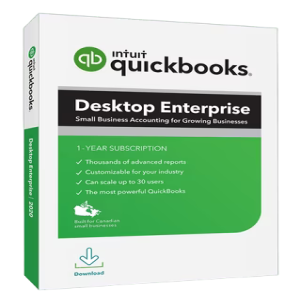
Intuit QuickBooks Mac Plus 2024 v23.1.6...
Enhanced visibility and control to help power your business. An all-in-one flexible business solution. QuickBooks Enterprise 24.0 helps improve decision-making, efficiency, and productivity with a clear line of sight across your business. Enterprise accounting - Enterprise gives you everything in one place—accounting, inventory management, reporting, pricing rules, job costing, payroll, time tracking, and more. - Get capacity for 1 million customers, vendors and inventory items, 100,000 classes, and 45 custom fields.* Maintain control of your data with custom user permissions.* Delegate work by user or role, and assign access only to specific data, transactions, and reports. - Streamline order management with one central dashboard that controls your entire pick, pack, and ship process, including sending instructions to mobile devices. Built-in payroll - Payroll** is already fully integrated—no separate purchase required. - Easily prepare, file, and send W-2s and 1099s.* - Quickly pay employees with checks, direct deposit,* or both. - NEW! Offer your team a 401(k) retirement plan through Guideline that's fully integrated with QuickBooks.* - NEW! Improve administrator productivity with detailed employee profile information available in a single Employee Center.* Integrated payments - Accept cards, eChecks and ACH transfers with QuickBooks Desktop Payments. - Get paid 1.4x faster than with paper invoicing.* - Enterprise automatically records and matches your payment transactions. - Preferred rates available for Enterprise customers.** Apps & integrations - Integrate the apps you use today and expand your toolkit with access to more than 200 apps.* - Manage your online sales and inventory in one place by integrating e-commerce* channels with QuickBooks. - Sync QuickBooks with the Salesforce CRM Connector* to reduce duplicate data entry, generate invoices automatically, and serve customers better.* Pre-built and customizable reporting - Get more than 200 customizable, built-in reports, including 70 industry-specific reports—or build your own report. - Create and revise budget, plan, and forecast scenarios. - Manage inventory and sales fulfillment, track job costs, and view clients and expenses with reports tailored to your industries. Manage inventory across warehouses with multi-level categorization - Track inventory items* down to the specific bin or pallet across warehouses or even trucks. - Easily transfer inventory from one location to another to meet demand without delays. - Use up to four levels of inventory categorization and assign expiration dates to sell items more quickly, reducing losses. Landed cost - Factor in freight, duties, insurance, and other miscellaneous expenses to calculate a more accurate cost for your products. . - Gain flexibility by setting up landed cost accounts as COGS or “other current assets." - Calculate landed cost* for old bill items from closed accounting periods. Order management - Manage sales orders from one central dashboard from start to finish with our pick, pack, and ship tools.* - Group orders together and apply the same action to them by batching. - Send electronic instructions to a picker through a mobile scanner* or Android device, or print them if you choose. - Use the Shipping Manager* to fill out and print a label from UPS, FedEx, or USPS. Manufacturing - Keep costs down and profits up by tracking raw materials to finished goods, including labor and shipping with landed cost and bill of materials. - Make your manufacturing processes more efficient with automated inventory levels, builds, and purchase orders for all subassemblies and final assemblies. - Automate more inventory processes with tools like mobile barcode scanning* to speed up picking, receiving, and cycle count* inventory updates. - Streamline order management by controlling your entire pick, pack, and ship workflow from one central dashboard, sending instructions to mobile devices across locations. Wholesale - Get a true picture of all your costs with landed cost* calculations that include shipping, duties, taxes, insurance, and other fees. - Apply automatic pricing rules* to maintain profits while you reduce manual work. - Increase efficiencies with a single source for all your vendor information. - Use mobile barcode scanning* for picking, receiving, and cycle count inventory updates. - Integrate QuickBooks with top online stores and marketplaces with inventory counts updated automatically. Construction and contractors - Track job costs in real time from estimate to final invoice right in QuickBooks Enterprise. - Manage your workforce wherever they are with cloud access.* - Connect your office and field staff, schedule jobs, and invoice on site with Intuit Field Service Management.* - Sync time tracking on mobile devices* with QuickBooks. - Easily pay employees and contract workers with QuickBooks Payroll.* Professional services - Track projections to actual results with project costing. - Let employees keep track of time spent on specific projects from anywhere with QuickBooks Time Elite.* - Quickly pay employees and contractors via check, direct deposit,* or both with QuickBooks Payroll.* - Get the information you need with customizable reports built for professional services or create your own with Advanced Reporting.* Accountants - Work seamlessly with client data and files, and give them the best service possible. - Manage client files and maintain version control. - Review client data and fix errors on one screen. - Get editions geared to your clients’ industry.
Intuit QuickBooks Enterprise Solutions 2...
Enhanced visibility and control to help power your business. An all-in-one flexible business solution. QuickBooks Enterprise 24.0 helps improve decision-making, efficiency, and productivity with a clear line of sight across your business. Enterprise accounting - Enterprise gives you everything in one place—accounting, inventory management, reporting, pricing rules, job costing, payroll, time tracking, and more. - Get capacity for 1 million customers, vendors and inventory items, 100,000 classes, and 45 custom fields.* Maintain control of your data with custom user permissions.* Delegate work by user or role, and assign access only to specific data, transactions, and reports. - Streamline order management with one central dashboard that controls your entire pick, pack, and ship process, including sending instructions to mobile devices. Built-in payroll - Payroll** is already fully integrated—no separate purchase required. - Easily prepare, file, and send W-2s and 1099s.* - Quickly pay employees with checks, direct deposit,* or both. - NEW! Offer your team a 401(k) retirement plan through Guideline that's fully integrated with QuickBooks.* - NEW! Improve administrator productivity with detailed employee profile information available in a single Employee Center.* Integrated payments - Accept cards, eChecks and ACH transfers with QuickBooks Desktop Payments. - Get paid 1.4x faster than with paper invoicing.* - Enterprise automatically records and matches your payment transactions. - Preferred rates available for Enterprise customers.** Apps & integrations - Integrate the apps you use today and expand your toolkit with access to more than 200 apps.* - Manage your online sales and inventory in one place by integrating e-commerce* channels with QuickBooks. - Sync QuickBooks with the Salesforce CRM Connector* to reduce duplicate data entry, generate invoices automatically, and serve customers better.* Pre-built and customizable reporting - Get more than 200 customizable, built-in reports, including 70 industry-specific reports—or build your own report. - Create and revise budget, plan, and forecast scenarios. - Manage inventory and sales fulfillment, track job costs, and view clients and expenses with reports tailored to your industries. Manage inventory across warehouses with multi-level categorization - Track inventory items* down to the specific bin or pallet across warehouses or even trucks. - Easily transfer inventory from one location to another to meet demand without delays. - Use up to four levels of inventory categorization and assign expiration dates to sell items more quickly, reducing losses. Landed cost - Factor in freight, duties, insurance, and other miscellaneous expenses to calculate a more accurate cost for your products. . - Gain flexibility by setting up landed cost accounts as COGS or “other current assets." - Calculate landed cost* for old bill items from closed accounting periods. Order management - Manage sales orders from one central dashboard from start to finish with our pick, pack, and ship tools.* - Group orders together and apply the same action to them by batching. - Send electronic instructions to a picker through a mobile scanner* or Android device, or print them if you choose. - Use the Shipping Manager* to fill out and print a label from UPS, FedEx, or USPS. Manufacturing - Keep costs down and profits up by tracking raw materials to finished goods, including labor and shipping with landed cost and bill of materials. - Make your manufacturing processes more efficient with automated inventory levels, builds, and purchase orders for all subassemblies and final assemblies. - Automate more inventory processes with tools like mobile barcode scanning* to speed up picking, receiving, and cycle count* inventory updates. - Streamline order management by controlling your entire pick, pack, and ship workflow from one central dashboard, sending instructions to mobile devices across locations. Wholesale - Get a true picture of all your costs with landed cost* calculations that include shipping, duties, taxes, insurance, and other fees. - Apply automatic pricing rules* to maintain profits while you reduce manual work. - Increase efficiencies with a single source for all your vendor information. - Use mobile barcode scanning* for picking, receiving, and cycle count inventory updates. - Integrate QuickBooks with top online stores and marketplaces with inventory counts updated automatically. Construction and contractors - Track job costs in real time from estimate to final invoice right in QuickBooks Enterprise. - Manage your workforce wherever they are with cloud access.* - Connect your office and field staff, schedule jobs, and invoice on site with Intuit Field Service Management.* - Sync time tracking on mobile devices* with QuickBooks. - Easily pay employees and contract workers with QuickBooks Payroll.* Professional services - Track projections to actual results with project costing. - Let employees keep track of time spent on specific projects from anywhere with QuickBooks Time Elite.* - Quickly pay employees and contractors via check, direct deposit,* or both with QuickBooks Payroll.* - Get the information you need with customizable reports built for professional services or create your own with Advanced Reporting.* Accountants - Work seamlessly with client data and files, and give them the best service possible. - Manage client files and maintain version control. - Review client data and fix errors on one screen. - Get editions geared to your clients’ industry.
Intuit QuickBooks Enterprise Solutions 2...
Enhanced visibility and control to help power your business. An all-in-one flexible business solution. QuickBooks Enterprise 24.0 helps improve decision-making, efficiency, and productivity with a clear line of sight across your business. Enterprise accounting - Enterprise gives you everything in one place—accounting, inventory management, reporting, pricing rules, job costing, payroll, time tracking, and more. - Get capacity for 1 million customers, vendors and inventory items, 100,000 classes, and 45 custom fields.* Maintain control of your data with custom user permissions.* Delegate work by user or role, and assign access only to specific data, transactions, and reports. - Streamline order management with one central dashboard that controls your entire pick, pack, and ship process, including sending instructions to mobile devices. Built-in payroll - Payroll** is already fully integrated—no separate purchase required. - Easily prepare, file, and send W-2s and 1099s.* - Quickly pay employees with checks, direct deposit,* or both. - NEW! Offer your team a 401(k) retirement plan through Guideline that's fully integrated with QuickBooks.* - NEW! Improve administrator productivity with detailed employee profile information available in a single Employee Center.* Integrated payments - Accept cards, eChecks and ACH transfers with QuickBooks Desktop Payments. - Get paid 1.4x faster than with paper invoicing.* - Enterprise automatically records and matches your payment transactions. - Preferred rates available for Enterprise customers.** Apps & integrations - Integrate the apps you use today and expand your toolkit with access to more than 200 apps.* - Manage your online sales and inventory in one place by integrating e-commerce* channels with QuickBooks. - Sync QuickBooks with the Salesforce CRM Connector* to reduce duplicate data entry, generate invoices automatically, and serve customers better.* Pre-built and customizable reporting - Get more than 200 customizable, built-in reports, including 70 industry-specific reports—or build your own report. - Create and revise budget, plan, and forecast scenarios. - Manage inventory and sales fulfillment, track job costs, and view clients and expenses with reports tailored to your industries. Manage inventory across warehouses with multi-level categorization - Track inventory items* down to the specific bin or pallet across warehouses or even trucks. - Easily transfer inventory from one location to another to meet demand without delays. - Use up to four levels of inventory categorization and assign expiration dates to sell items more quickly, reducing losses. Landed cost - Factor in freight, duties, insurance, and other miscellaneous expenses to calculate a more accurate cost for your products. . - Gain flexibility by setting up landed cost accounts as COGS or “other current assets." - Calculate landed cost* for old bill items from closed accounting periods. Order management - Manage sales orders from one central dashboard from start to finish with our pick, pack, and ship tools.* - Group orders together and apply the same action to them by batching. - Send electronic instructions to a picker through a mobile scanner* or Android device, or print them if you choose. - Use the Shipping Manager* to fill out and print a label from UPS, FedEx, or USPS. Manufacturing - Keep costs down and profits up by tracking raw materials to finished goods, including labor and shipping with landed cost and bill of materials. - Make your manufacturing processes more efficient with automated inventory levels, builds, and purchase orders for all subassemblies and final assemblies. - Automate more inventory processes with tools like mobile barcode scanning* to speed up picking, receiving, and cycle count* inventory updates. - Streamline order management by controlling your entire pick, pack, and ship workflow from one central dashboard, sending instructions to mobile devices across locations. Wholesale - Get a true picture of all your costs with landed cost* calculations that include shipping, duties, taxes, insurance, and other fees. - Apply automatic pricing rules* to maintain profits while you reduce manual work. - Increase efficiencies with a single source for all your vendor information. - Use mobile barcode scanning* for picking, receiving, and cycle count inventory updates. - Integrate QuickBooks with top online stores and marketplaces with inventory counts updated automatically. Construction and contractors - Track job costs in real time from estimate to final invoice right in QuickBooks Enterprise. - Manage your workforce wherever they are with cloud access.* - Connect your office and field staff, schedule jobs, and invoice on site with Intuit Field Service Management.* - Sync time tracking on mobile devices* with QuickBooks. - Easily pay employees and contract workers with QuickBooks Payroll.* Professional services - Track projections to actual results with project costing. - Let employees keep track of time spent on specific projects from anywhere with QuickBooks Time Elite.* - Quickly pay employees and contractors via check, direct deposit,* or both with QuickBooks Payroll.* - Get the information you need with customizable reports built for professional services or create your own with Advanced Reporting.* Accountants - Work seamlessly with client data and files, and give them the best service possible. - Manage client files and maintain version control. - Review client data and fix errors on one screen. - Get editions geared to your clients’ industry.

CCleaner – Phone Cleaner 2026
Requirements: Android 10.0+ | File size: 47,1 MB The makers of the world’s most popular PC and Mac cleaning software bring you CCleaner for Android. Remove junk, reclaim space, clean RAM, monitor your system and browse safely. Become the master of your own device with the ultimate cleaning app for your Android! Optimize and Clean - Speed up your phone and clean junk safely - Clean application cache, download folders, browser history, clipboard content and more Reclaim Storage Space - Streamline your Android smartphone or tablet - Quickly and easily uninstall multiple unwanted applications - Free up valuable storage space on your device - Clear junk, such as obsolete and residual files - Analyze and optimize your storage space with Storage analyzer Analyze Applications’ impact - Check which apps consume your data - Find apps draining your battery - Discover unused apps with App Manager Speed up your Device - New! Quickly stop running tasks and clean memory with Task Killer (RAM Booster) - New! App Hibernation feature will stop apps from running in the background until you manually open them Easy to Use - Optimize your Android in just a few clicks - Simple, intuitive user interface which is easy to navigate - Fast, compact and efficient with low RAM and CPU usage - New! App Stats feature lets you quickly determine the overall impact of individual apps on your device Monitor your System - Check the usage of your CPU - Keep track of your RAM and internal storage space - Check out your battery levels and temperature

AVG Cleaner – Storage Cleaner 2026
Requirements: Android 10.0+ | Avast Cleanup is a highly effective cache and junk cleaner app for Android. Free up storage space Clean up space-wasting junk to make room for the things you want. - Clear out app cache and other unnecessary files from Android and your apps, such as caches, temporary files or leftover data - See which apps are taking up the most space - Identify and delete apps you no longer use Detox your photo library Automatically identify and remove bad photos to free up space. If Avast Cleanup isn’t 100% sure about a bad photo, you’ll get to review it. - Get rid of duplicate, similar, old, and poor quality photos - Optimize photo size and move originals to the cloud - Identify the ‘best photo’ out of a group Tune up performance Hibernation Mode stops hungry apps from consuming your resources. - Hibernate apps to extend battery life and speed up your phone - Stop CPU, battery, memory and traffic draining apps - Remove pre-installed bloatware and other apps you never use Boost battery life Get the most out of your phone’s battery so you can stay on the go longer. - Turn off phone functions you don’t use very often - Set profiles to auto-adjust battery usage depending on where you are (home, work, car) The results are in At Avast, we run lab tests to showcase the benefits of our products. We have run multiple benchmarks on various smartphones that have been in use daily, before and after running the Avast Cleanup optimization. - Up to 12 GB freed up - Up to 20% faster - Up to 70% more battery life Highlights - Junk Cleaner: Preinstalled Apps Remover deletes pre-installed bloatware apps you don't use, or prevents them from slowing down your phone. - Device Manager — System Screen: view all important info about your device on one screen. - Device Manager — App Hibernation temporarily suspends apps to prolong battery life, save mobile data, clean memory and improve device speed - Junk Cleaner: Remove Junk: Avast Cleanup quickly analyzes your phone's storage space and clears all unnecessary data. - The smart Safe Clean feature instantly cleans out unimportant data, system caches, gallery thumbnails, installation files, residual or unused files, and APKs. With a single tap, you can easily delete accumulated data that has no purpose. - The Cleaning Adviser option gives you a detailed overview of all the data on your phone. - Uninstall applications with one tap to free up space , speed up your device, and stop Android lags. - The Phone Cleaner identifies and clears the largest files, media, apps, and junk on your device. - Use the Ignore List to mark items on your device that you don't want to be listed. - Master your storage space by optimizing your Android device and boosting its speed. This app uses Accessibility permission to assist disabled and other users stop all background apps with just one tap.
AVG Cleaner – Storage Cleaner 2026
Requirements: Android 10.0+ | With AVG Cleaner, your Android device will run faster and smoother, store more data, free up memory by cleaning junk, and stay charged for longer. AVG Cleaner is a smart device manager & optimization tool already installed by almost 50 million people. AVG Cleaner top features - Remove preinstalled apps - Remove pre-installed apps to save space and boost performance - Get more space - Remove junk files, uninstall apps, and delete bad or unwanted photos and videos - Improve performance - Use Cleaner to clear cache, remove junk, and identify apps that are slowing down your device (RAM Cleaner & memory booster) - Longer battery life - Cleaner's battery saving feature helps improve your device's battery life - Hibernate apps - Suspend background apps to prolong battery life and save mobile data - System info - Everything you need to know about your phone on one screen - File manager - Smart File Manager & Storage Cleaner can analyze pictures, files, and apps to help you maximize your Android device's performance - Junk Cleaner - Clean out any useless junk from your device e.g. cache and app data With AVG Cleaner, you will enjoy a longer battery life, avoid a lagging Android device, get rid of junk files, and automatically find bad quality or duplicate photos AVG Cleaner – Memory (RAM) Booster and Junk Cleaner is a smart analysis application and clean up tool that gives you more storage space, better performance, and longer battery life The booster, memory cleaner (RAM Cleaner), cache cleaner, battery saver, storage clean up, and app removal features are described below Cleaner: Advanced app remover & app manager - Remove preinstalled apps: Do you have pre-installed bloatware apps you don't need? We can prevent them from slowing down your device - App analyzer: AVG Cleaner can identify apps that consume your battery, drain mobile data, or take up too much storage space, allowing you to clean them out more easily - App remover: Easily remove apps that slow down your device - RAM cleaner: Clean RAM and boost performance of your phone in a few taps - Cache cleaner: Clear out app cache, temporary files and leftover data - Easily analyze apps based on storage, ram, battery, data consumption or usage Cleaner: Photo Analyzer - Fast and easy photo gallery optimization - Find bad quality or duplicate photos - Easily clean your photo library Cleaner: Battery Saver & Optimizer - App hibernation: Hibernating apps help you prolong battery life and keep your device running faster for longer - Battery Profiles & Optimization: choose between "Low Battery", "Home", "Work", and "Car" profiles, or set up your own to automatically adjust your battery usage how you want Cleaner: 1-tap Analysis and Optimization - Clean your device with a single tap of a button - Perform device scan and analysis with just one tap Media Overview - Access Image Analysis results - Optimize pictures to save space - Sorted media by source folders - All large video files in one view App Overview - Draining apps analysis - Usage statistics - App size growth analysis - Notification analysis - Quick boost feature

Ear Spy - Listening Device
Requirements: Android 8.0+ | Step into a world of enhanced hearing experiences with the Ear Spy - Listening Device, your ultimate hearing app designed as a sound amplifier. Whether you're curious about conversations behind closed doors or need a little boost to hear better in noisy environments, Ear Spy - Hear boost equips you with super hearing capabilities. - Advanced Hearing Amplifier: Our cutting-edge hearing amplifier sharpens your auditory senses, allowing you to hear through walls with clarity that feels like magic. This hear through walls app turns ordinary listening into extraordinary perception. - Superb Sound Amplifier: Experience the best audio enhancement. Ear Spy's sound amplifier feature boosts quiet sounds to audible levels, making it easier to pick up subtle noises and distant conversations. - Discreet Listening Device: Use Ear Spy as your personal hearing app to listen in on your environment discreetly. This powerful listening device lets you hear what you've been missing without attracting attention. - Robust Hearing App with Recording: Ear Spy allows you to hear better and includes functionality to record what you hear. Capture high-quality audio discreetly and replay whenever you need it with our top-notch listening device. - Customizable Hear Boost Settings: Tailor your listening experience with customizable hear boost options. Adjust settings to optimize the sound for different environments, ensuring you always have the best listening experience. - Effective Sound Amplifier for All Occasions: Whether attending lectures, watching TV, or participating in meetings, our sound amplifier will ensure you never miss a word. Ear Spy's super hearing technology is here to transform your auditory experience. How to Maximize Your Use of Ear Spy - Listening Device? - Activate the App: Open Ear Spy and tap 'Activate' to start the hearing amplifier. - Customize Your Experience: Use the intuitive controls to adjust the hear boost and sound amplifier settings for optimal clarity. - Record and Save: Easily record important conversations with our listening device and save them securely for later review. - Enjoy Discretion: The app's discreet nature ensures that your use of this hearing app remains confidential. - Share When Needed: Share recordings with ease directly from the app to involve others or for further analysis. - Join Thousands Experiencing Better Hearing Today - Download the Ear Spy - Listening Device and start experiencing the power of super hearing! - Whether for personal insight, professional reasons, or just a bit of eavesdropping fun, our Hear through walls app is the perfect tool for anyone looking to enhance their hearing capabilities.
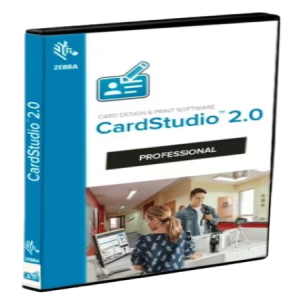
Zebra CardStudio Professional 2.5
More than ever before, we're an electronically connected global community. From shopper loyalty cards to student IDs to Corporate IDs and access control cards, we're quickly evolving from the physical to the digital. Advance your card designs and production with CardStudio 2.0 to unlock greater design features, expanded data management capabilities and Digital IDs. CardStudio 2.0 makes designing and producing high-quality cards and Digital IDs quick and simple. Digital Cards Create Digital IDs for maximum flexibility. As a complement to physical cards, Digital IDs can be seen as a convenient option because they are stored on mobile phones. As part of CardStudio Standard Package, issuance of Digital IDs is fast with only 3 easy steps and eco-friendly. Advanced Data Management Automatically create Digital IDs and cards with virtually any existing enterprise data, including text, graphics, photos and other information from virtually any data source – from backend databases to spreadsheets. Easily create Digital IDs at the same time as a physical card, or as a standalone offering. Advanced Encoding Support With support for UHF and MIFARE/DESFire family of contactless cards, you can choose the encoding option that matches the application requirements and level of security your cards require. We offer all the encoding options you need. CardStudio 2.0 Professional - All Enterprise functions and unlimited card designs, projects, data records - Full SmartCard including MIFARE Classic, plus and DESfire World-class cards for your business Zebra’s CardStudio card-design and card-issuance software brings the sophistication of professional card design and printing to your office. Easy to learn and use, CardStudio offers you design, encoding and printing applications to produce beautiful, high-quality cards. Feature-rich software with enhanced support The latest version of CardStudio offers several services and features, including - Updated Unicode support for improved multi-language options - Enhanced internal online help resources - More robust signature pad, including new drivers to support latest signature pad models - Improved SmartCard ultra-high frequency (UHF) and HF MIFARE
 Multilingual SoftArchive.png)
Blackmagic Design Fusion Studio 21
Fusion is the world’s most advanced compositing software for visual effects artists, broadcast and motion graphic designers, and 3D animators. Over the last 30 years, Fusion has been used on thousands of Hollywood blockbuster movies and television shows. Fusion features a powerful node based interface that lets you quickly and easily create sophisticated effects by connecting different types of image processing tools together! You get a massive range of tools, incredible VR and 3D support, GPU accelerated performance, unlimited network rendering and more! Fusion gives you everything you need to create exciting broadcast graphics, dramatic titles, and even major feature film visual effects! What’s New in Fusion 21 Compositions you create on the Fusion page can now be saved as a template and used on the edit or cut page! New animation curve modifiers can be used to automatically retime animations when you change their duration in an edit. Audio playback with waveform display makes it easier to create precisely timed animations, there are shared markers with the edit page and more. In addition, 27 GPU accelerated Resolve FX have been added to the Fusion page, including the noise reduction and sharpening tools from the color page! New node view bookmarks make it easy to navigate large comps, the toolbar can be customized with your favorite tools, and vertical layouts are supported in the node editor. Build Your Own Effects with Customizable Templates Fusion effect templates let you create any effect imaginable and apply them to clips on the edit and cut pages! Simply build a composition, save it as a macro, define the parameters you want to make visible, and save it in the correct location. Just drag Fusion effect from the library onto any clip! Automatically Retime Animations Animation curve modifiers let you easily stretch or squish keyframes and add bounce, mirror or loop animations that automatically change when the duration of the composition changes. When you drop Fusion titles or effects onto the timeline and change its duration, the animation adjusts accordingly! Sync Audio Animations The Fusion page can now playback audio from the edit or cut page timeline. You can choose a mix down from the timeline, or you can listen to the source clip’s audio. Waveforms are displayed in the keyframe editor, allowing you to create precisely timed Custom Vector Shapes Vector shape tools make it easier to create motion graphics! You get ellipsis, rectangles, polygons and stars, along with boolean operators for combining shapes to create intricate designs. Grid, jitter, offset and transform, let you customize animations. Shapes can also be used as particle sources! GPU Accelerated Resolve FX The Fusion page has 27 new GPU accelerated Resolve FX. This includes the color page’s noise reduction and sharpening tools, along with lens blur, light effects, color effects, revival image restoration tools and more. You also get texture and stylize, temporal effects, warping and beauty tools. Personalize Your Workflow Node tree bookmarks let you quickly navigate to any part of the node tree in a large composition. Customizable toolbars let you quickly switch toolbars based on the current task. Vertical node tree layouts give you more room to view the spline and keyframe editors when creating animations, and more. Hollywood’s Biggest Blockbusters Thousands of Hollywood’s biggest blockbusters and hit television shows use Fusion to create their groundbreaking visual effects. Fusion has been used on feature films like Ant-Man, Red Sparrow and London Has Fallen, as well as hit television shows like Empire, NCIS and Emergence. Fusion also plays a major role in the development of cinematics for major video games such as Dawn of War III, Halo 5 and more! Nodes are a Much Faster Way to Work! Nodes are incredibly easy to use, especially as scenes become more complex. Fusion’s nodes are small icons that represent effects, filters and other image processing operations. Nodes can be easily connected together to build larger and more complex visual effects. Tools, images, and objects can be combined in any order to create unlimited visual effects. Simply click on a node to quickly adjust any single part of your project. That’s much faster than a timeline based tool because you don’t need to hunt through nested stacks of confusing layers and filters! Get the most Powerful VFX Software Available! Whether you need to pull a key, track objects, retouch images, animate titles, or create amazing particle effects, Fusion has a massive toolset that lets you tackle the most demanding jobs. You get a true 3D workspace along with tools for compositing, keying, painting, animation, virtual reality, stereoscopic 3D and more. Fusion combines effects and motion graphics, along with 3D modeling and rendering into a single toolset. That means you can import and render 3D models and scenes with the rest of your composite in Fusion. You don’t have to pre‑render assets or transfer between multiple applications!
 Multilingual SoftArchive.png)
Blackmagic Design DaVinci Resolve Studio...
DaVinci Resolve Studio supports up to 120fps at a massive 32K resolution, as well as support for multiple GPUs for real time playback of professional 10-bit formats, and accelerated H.264 and H.265 hardware decoding and encoding. There’s a full suite of immersive audio tools, DaVinci Neural Engine AI voice isolation, music remixer and dialogue separator. It also includes Dolby Vision and HDR10+ grading and rendering, and 45 extra Resolve FX such as AI UltraNR noise reduction, SuperScale and de-interlacing. You also get workflow and media asset management integration, remote scripting API, and rendering and encoder plug-in support. Plus there’s full screen playback on a second monitor! More GPU Acceleration DaVinci Resolve Studio turbo charges your system’s GPU performance! Fully optimized for Metal and Apple Silicon unified memory GPUs on a Mac, or OpenCL and CUDA on Windows and Linux, plus you’ll get incredible performance gains with additional GPUs. Advanced Noise Reduction DaVinci Resolve Studio includes some of the most powerful and sophisticated noise reduction. Temporal and AI spatial noise reduction tools can be used independently or together to help clean up and remove unwanted noise in virtually any image. Lens Distortion DaVinci Resolve Studio includes a lens correction feature that allows you to analyze a clip and correct for spherical lens distortion or other aberrations. It uses optical flow image analysis and processing algorithms for incredible quality results! Professional HDR Scopes The HDR scopes in DaVinci Resolve Studio are capable of measuring and providing detailed information about ST.2084 and HLG images. This allows you to replace the 10‑bit scale of the scopes with a scale based on nit values, or cd/m2, instead. Stereoscopic 3D DaVinci Resolve Studio features a complete set of tools for editing and grading stereoscopic 3D projects. You have total control over stereo specific clip properties such as convergence, floating windows, eye alignment, mastering and output. Remote Monitoring and Grading Remote monitoring allows clients to view a real time feed via computer, iPad or iPhone with extreme high quality! Remote grading lets you work interactively so that changes made on your DaVinci Resolve system are immediately visible remotely. DaVinci Color Transform Language Unlike LUTs, which rely on simple lookup tables, DaVinci color transformation scripts are GPU accelerated bits of code that directly transform images using combinations of math functions. That makes them extremely fast and non destructive. Scripting and Automation DaVinci Resolve Studio features support for both Python and LUA scripting, along with developer APIs that allow you to add workflow integrations and custom encoding options. This lets studios of all sizes create deeply integrated custom workflows. Workflow Integration Plug‑ins DaVinci Resolve Studio supports workflow integration plug-ins for connecting to local and remote asset management, automation systems and more. Users can write their own plug-in and interact with DaVinci Resolve's JavaScript APIs. Whats New

Pixelmator Pro Creator Studio 4 MAC OS
Pixelmator Pro offers everything you need to create designs, edit photos, draw illustrations, paint digital art and unleash your creativity in every way imaginable. Edit and enhance – Adjust the colors of photos and even videos with a comprehensive collection of professional-quality options. – Use machine learning-based tools to automatically remove backgrounds from images, enhance colors, increase resolution, and more. – Make your photos even more spectacular with over 40 color adjustment presets and combine over 70 versatile effects to develop any artistic or special look imaginable. Enjoy full support for RAW photos from over 750 popular digital cameras. Create spectacular designs – Harness the power of layer-based editing with support for vector shapes, typography, and even videos to create posters, web pages, or apps from scratch. – Customize the appearance of layers with styles like Fill, Stroke, Shadow, and Inner Shadow. – Create stunning designs in an instant with a large collection of beautiful, high-quality, fully customizable templates and prototypes. Draw and illustrate – Draw vector graphics with a full set of tools, including Pen and Freeform Pen. – Speed up the creation of illustrations with beautiful shapes in categories like arches, plants, and organic shapes. – Add customizable Smart Shapes to create unique designs. Draw and paint – Paint naturally with a collection of beautifully handcrafted, dual-mesh brushes. – Enjoy full support for Apple Pencil on iPad and graphics tablets on Mac to paint with pressure and tilt sensitivity. – Experience incredibly fast and responsive painting with a groundbreaking painting engine powered by Metal graphics technology. Compatibility – Open files in popular image and video formats, including JPEG, TIFF, PNG, PSD, HEIF, SVG, AI, Illustrator EPS, PDF, GIF, BMP, TGA, WebP, JPEG-2000, AVIF, MP4, MOV, HDR images, videos, and more. – Share images or videos via Photos, Mail, AirDrop, and more. What's New System Requirements • macOS 26 or later • Apple Silicon processor

Keynote Creator Studio 15 MAC OS
Versatile tools and spectacular effects: Keynote lets you create memorable presentations on the fly, and it comes standard on most Apple devices. If you have an iPad, you can use Apple Pencil to enrich your slides with charts and illustrations. And your entire team can collaborate in real time from Mac, iPad, iPhone, and even PC. It's your story. And you present it the way you want. With Keynote, you have everything you need for a great show. The simple and intuitive interface puts all the most useful tools at your fingertips to add impactful graphics, adjust images, and apply spectacular effects in just a few steps. And you can rehearse your presentation even while traveling from home to the office: in a single view, you have the current slide, the next slide, notes, and even the clock. Start with a beautiful layout. Choose from over 40 ready-made themes: your presentations will look clean and professional right from the start. Or create new slides and background images, and customize as many details as you like, page by page. Liven up the conversation. With over 100 cinematic transitions and effects, your presentations will always make an impact. Make your words stand out by adding textures, color gradients, and photos—all with a tap. And on iPhone or iPad, you can animate objects along a path using Apple Pencil or just your finger. Every slide is a spectacle. Bring your slides to life with dynamic backgrounds. To better illustrate your point, choose from over 700 Apple-designed shapes, or add photos, videos, music, image galleries, and charts. Easily remove the background of supported images and live videos, or manually adjust the settings. Or use your iPhone to take a photo or scan: the Continuity Camera lets you find them right in Keynote on your Mac. What's New System Requirements • macOS 15.6 or later • Apple Silicon processor

MainStage Creator Studio 4 MAC OS
With MainStage, your Mac takes the stage with you with a full-screen interface optimized for live performance, flexible hardware control, and a huge collection of plug-ins and sounds that work seamlessly with Logic Pro. The ideal live rig – Play live with 100 instruments, effects, and MIDI plugins, or work with your Audio Unit plugins. – Add any patch from Logic Pro and bring the studio sound you created to life on stage. – Combine live instruments and audio, like keyboards and vocals, in a single patch. – Switch between patches without interrupting the sound or sustaining notes. – Design sophisticated keyboard patches using splits and layers. – Perform with stereo or multitrack backing tracks with Playback. Hardware Control – Connect your favorite MIDI hardware and use it to play and control plugins. – Keyboards, pedals, drum pads: you can use USB and MIDI controllers of all kinds. – Quickly assign knobs, buttons, and faders to on-screen controls. – Manage sophisticated settings with an overview of assignments and mappings. Designed for the stage – Customizable full-screen live interface lets you see only what you need during your performance. – With Smart Control, on-screen controls adapt to each patch. – Smart Control provides dynamic performance controls that change with each patch. – Full-screen, high-contrast display lets you see your Mac screen clearly, even from a distance. Instrument Plugins – Play or create a wide range of rich-sounding sampled instruments with Sampler and Quick Sampler. – Transform your favorite hardware synthesizers into sampled instruments with the new Auto Sampler plugin. – Quickly find sounds or create new ones with Alchemy, the most comprehensive sample-manipulation synthesizer. – Reproduce classic 70s and 80s-style synth sounds with “Retro Synth.” – Get inspired with a collection of analog, wavetable, FM, additive, granular, spectral, and physical modeling synthesizers. MIDI Plugins – Transform simple ideas into elaborate performances with nine MIDI plug-ins. – Instantly transform a simple chord into a rich performance with Arpeggiator. – Play a single note to trigger predefined chords with Chord Trigger. – Play a part and smooth the notes to a specific scale with Transposer. Creative and Production Effects – Play your sounds in a wide range of realistic acoustic spaces or with creative synthesized reverbs. – Use a vast collection of multi-tap, vintage tape, and stereo delays. – Add motion to your tracks with a wide range of modulation effects. – Achieve the perfect mix with a wide variety of vintage and modern EQs, dynamics, and other mixing tools. What's New System Requirements • macOS 15.6 or later • Apple Silicon processor

Pages Creator Studio 15 MAC OS
Pages is a powerful word processor that helps you create beautiful documents. Creative writing. Innovative design. Pages gives you the right tools in the right places to get your work done: choosing a layout, customizing fonts and styles, or fine-tuning graphics is easier than ever. And everyone working on the document can use the same powerful features. To begin with, a great choice. Find the right template for you from over 90 Apple-created templates, and customize reports, letters, and documents as you like. And if your dream is to write a novel or even just a fairy tale, you can create interactive digital books directly in Pages: it's easy. Make progress. And see it all. Track all your changes, highlight words or phrases, and add comments for your team—changes are saved automatically. Maximum results, minimum effort. Bring your text to life by adding color gradients or images. You can also enrich each page with photos, galleries, audio clips, videos, mathematical equations, and graphs, or choose from over 700 customizable shapes. What's New System Requirements • macOS 15.6 or later • Apple Silicon processor

Numbers Creator Studio 15 MAC OS
Numbers is designed to create beautiful spreadsheets with impactful tables and images, and comes standard on most Apple devices. Bring your data to life with Numbers. Numbers opens to a blank page instead of an infinite grid, giving you the freedom to move individual elements wherever you want and organize your data any way you like. And anyone working with you on the spreadsheet can use the same powerful features across iOS, iPadOS, and macOS. Getting started is easy. Enter your data into one of the beautiful, ready-made templates and customize it however you like. You can choose fonts, set cell border styles, and add, resize, and format tables. Numbers takes care of the sums. Thanks to Numbers' hundreds of intuitive functions and tools, it's easy to perform complex calculations with great precision, create formulas, filter data, and see the results of all these operations. Furthermore, pivot tables and Smart Categories allow you to quickly organize and summarize your data for better understanding. Stunning results. Instantly. There are tons of ways to transform your numbers into stunning infographics: easy-to-interpret radar and doughnut charts, bars and columns with beautifully clear numbers and adjustable sizes, interactive charts, and over 700 customizable shapes. What's New System Requirements • macOS 15.6 or later • Apple Silicon processor
Compressor Creator Studio 5 MAC OS
Compressor integrates tightly with Final Cut Pro and Motion to add power and flexibility to your video conversions. Quickly customize output settings, enhance images, and package your movie for sale on the iTunes Store. Easily set up distributed encoding using other Mac computers. Advanced Encoding for Final Cut Pro •Use Compressor to customize encoding settings for use in Final Cut Pro and Motion •Set up batch processes to streamline the encoding of large numbers of files •Create self-contained Droplets to encode on the desktop with drag-and-drop ease •Automatically encode videos that are added to selected folders in the file system •Encode stereoscopic spatial video and deliver directly to Apple Vision Pro •Encode videos recorded with iPhone in Cinematic mode (requires macOS Monterey or later) •Unrivaled performance with optimizations for the latest generation of Apple silicon iTunes Store Package Creation •Import and organize your movie, trailer, closed captions, audio descriptions, and subtitles into an iTunes Store-compliant package for submission to an Apple-certified iTunes delivery partner •Audition video with any audio, caption, or subtitle to verify sync •Built-in error detection helps you identify issues with your iTunes Store Package •Deliver HDR video as P3 D65 PQ, Rec. 2020 HLG, and Rec. 2020 PQ for HDR10 •Support in the iTunes Store Package to link a Dolby Vision graded video file to a Dolby Vision XML Support for Industry Standards •Encode to a broad range of industry standard formats including HEVC, MV-HEVC, H.264, MXF and ProRes •Import Targa, DPX, TIFF, PSD, PNG or OpenEXR image sequences and encode them using any setting •Create, view, adjust, and deliver closed captions in CEA-608, SRT, and iTT formats Pristine Format Conversions •Convert any file between formats - such as NTSC to PAL, SD to HD or progressive to interlaced video •Import and manipulate wide color video, then deliver in standard Rec. 601 and Rec. 709 color spaces or in wide Rec. 2020 color space •Deliver High Dynamic Range (HDR) video with controls for color space conversions and HDR metadata •Deliver HDR video as P3 D65 PQ, Rec. 2020 HLG, and Rec. 2020 PQ •Add effects to your content like custom LUTs, a timecode overlay, and watermarks •Speed up video, slow it down, or adjust the frame rate to make the duration match a runtime •Convert log-encoded video to SDR and HDR color spaces using built in camera LUTs for Panasonic, Sony, Canon, Blackmagic, Nikon and ARRI or add a custom camera I UT •Convert ProRes RAW and ProRes RAW HQ media to other professional file formats •Play and transcode Canon Cinema RAW Light to other video codecs and formats Distributed Encoding •Save time by distributing encoding work among multiple workstations •Install Compressor on any Mac to activate it as a node for distributed encoding What's New System Requirements • macOS 15.6 or later • Apple Silicon processor

Final Cut Pro Creator Studio 12 MAC OS
Redesigned from the ground up, Final Cut Pro 12 combines revolutionary video editing with powerful media organization, intelligent search, and incredible performance to let you create at the speed of thought. Final Cut Pro 12 features breathtaking performance and efficiency on Mac computers with Apple silicon, now enhanced with AI-powered tools that help you find, edit, and sync content faster than ever. Tap into superfast unified memory shared across the CPU, GPU, and Apple Neural Engine to play back more high-resolution video streams, analyze media intelligently, and render your movie in record time. Revolutionary Video Editing • The Magnetic Timeline uses advanced metadata and Clip Connections for faster, easier editing • Enhanced Timeline Index lets you drag and drop audio roles to rearrange the layout of your timeline • Transcript Search lets you find spoken dialogue by typing words or phrases directly • Visual Search allows you to locate clips based on objects or actions using natural language • Beat Detection automatically analyzes music and displays beat and bar markers for rhythm-based editing • Powerful drag-and-drop Object Tracker automatically matches titles and effects to the movement of faces or objects • Change focus points or the depth effect for video shot in Cinematic mode on iPhone • Edit multicamera projects with automatic syncing and support for up to 64 camera angles • Automatically transform projects for square or vertical delivery with Smart Conform • Import and edit 360° equirectangular video in a wide range of formats and frame sizes • Create, edit, and deliver closed captions from within Final Cut Pro • Extend the capabilities of Final Cut Pro with third-party workflow extensions Powerful Media Organization • Organize your work within libraries for efficient media management and collaboration • Search and navigate footage faster with AI-powered transcript and visual analysis • Create proxy copies of your media for portability and performance • Apply custom keywords or favorites on the fly as you select clip ranges • Smart Collections dynamically organize content for you to quickly find any shot in a few clicks • Locate duplicate media in the timeline using highlighted clip ranges or the Timeline Index Incredible Performance • Optimized performance on Mac computers with Apple silicon • Enhanced use of the Apple Neural Engine for media analysis and intelligent search • Unrivaled performance with optimizations for the latest Apple silicon chips • Work with a broad range of formats including ProRes, RED, XAVC, AVCHD, Avid DNxHR®, Avid DNxHD®, H.264, HEVC, and more Compelling, Customizable Effects • Beautifully animated, easily customizable 2D and 3D titles • Change the look of titles, transitions, and effects using intuitive controls • Choose from an ecosystem of third-party FxPlug plug-ins with custom interfaces Integrated Audio Editing • Assign roles during import to easily track and organize your project • Expand and edit multichannel audio files directly in the timeline • Apply intuitive Logic-based effects and reduce background noise to isolate voices • Sync video with separate audio in a single step with instant audio waveform matching What's New System Requirements • macOS 15.6 or later • Apple Silicon processor

Logic Pro Creator Studio 12 MAC OS
Logic Pro 12 is the most advanced version of Logic. Powerful tools for professional music production, audio processing, and mixing are built into a modern interface for fast, high-quality results and ease of use—no matter where you are. Logic Pro 12 includes a huge collection of musical instruments, effects, and loops—everything you need to create great compositions. Logic Pro 12 introduces AI-assisted tools that help generate chord progressions, basslines, melodies, and rhythmic ideas while keeping you in full creative control. Capture performances quickly with Track Stacks, Smart Controls, and advanced MIDI tools, then shape audio with Flex Time and Flex Pitch. Build beats using Drummer, Step Sequencer, and Drum Machine Designer, and design sounds with Alchemy, Sampler, and a wide range of professional effects. Powerful interface • Group and manage multiple tracks and create complex, layered instruments with Track Stacks. • Manage multiple plugins and parameters with a single touch using Smart Controls. • Create, edit, and navigate compositions using the intuitive controls of the Touch Bar on your MacBook Pro. Professional music production • Organize takes into folders and easily create compilations with Quick Swipe Comping. • Create new playlists of regions and track edits and switch between them using the Track Alternatives feature. • Render any combination of audio effect plug-ins to selected audio files using Selection-based Processing. • Correct inaccuracies in vocal parts and change the melodies of recorded tracks with the Flex Pitch feature. • Easily control the time signature and tempo of any recording with Flex Time. • Use full automation of mixing parameters and plugins for a portion of a region or track. • Compose and mix music from anywhere in the room with Logic Remote on iPad or iPhone. Percussion instruments • Create realistic drum tracks—acoustic, electronic, or hip-hop—with Drummer, a virtual session drummer and beat generator. • Choose from 28 drummers who set the rhythm and perform millions of unique variations. • Design your own drum kits with the Drum Kit Designer feature, using a collection of carefully sampled drums. • Change the sound of electronic rhythms with Drum Machine Designer. Keyboards and synthesizers • Get inspired by an impressive selection of synthesizers – analog, waveform, operator, additive, granular, spectral and physical. • Easily find sounds or create new ones with the amazing Alchemy sampler synthesizer. • Use a variety of sampled instruments or create new ones with the EXS24 Sampler. • Instantly transform simple chords into rich harmonies with the Arpeggiator feature. Guitar and bass guitar equipment • Create your own guitar and bass setups with Amp Designer, using classic and modern amps, hardware systems, and microphones. • Create your own Pedalboard pedal set from a collection of effects such as delay, distortion, modulation. Original sound effects • Perform your compositions in realistic acoustic spaces with Space Designer's convolution reverb. • Use vintage tape, multi-tap and stereo delay effects. Sound Library • Over 2800 instrument and sound effect patches. • 1000 carefully sampled instruments. • Over 7,000 Apple Loops across a wide variety of genres. Compatibility • Expand your library of instruments and effects with compatible third-party Audio Unit plug-ins. • Remotely add new tracks to your Logic project from your iPhone or iPad via iCloud using the GarageBand export feature. • Import and export XML files to support Final Cut Pro X workflows. • Open projects created in Logic 5 or later. What's New System Requirements • macOS 15.6 or later • Apple Silicon or Intel Core processor
Motion Creator Studio 6 Multilingual MA...
Motion 6 is Apple’s powerful motion graphics and visual effects application, designed to create cinematic titles, transitions, and effects in real time. Built for speed and flexibility, Motion 6 takes full advantage of Apple silicon and Metal acceleration, delivering responsive playback, faster rendering, and deep integration with Final Cut Pro. Advanced Motion Graphics • Create stunning 2D and 3D titles, transitions, and generators with real-time playback • Design cinematic motion graphics using behaviors, keyframes, and procedural animation tools • Animate text with advanced typography controls, layouts, and presets • Work in a fully non-destructive environment with instant visual feedback Powerful Effects & Compositing • Apply professional-grade filters, particle systems, and visual effects • Use advanced masking tools including shape masks, image masks, and bezier masks • Perform high-quality keying with refined green screen and matte tools • Combine multiple effects and behaviors for complex, layered composites 3D & Camera Tools • Build and animate 3D scenes with cameras, lights, and shadows • Import and manipulate 3D objects and text within Motion • Create realistic depth, reflections, and lighting effects • Seamlessly integrate 3D elements with live-action footage Performance & Apple Silicon Optimization • Optimized for Mac computers with Apple silicon • Real-time playback and faster rendering using Metal acceleration • Efficient use of unified memory for complex motion graphics projects • Smooth performance when working with high-resolution and HDR content Final Cut Pro Integration • Publish titles, transitions, effects, and generators directly to Final Cut Pro • Create customizable templates with on-screen controls for editors • Update Motion templates in real time without re-rendering timelines • Share projects instantly across Final Cut Pro libraries Format & Workflow Support • Work with a wide range of formats including ProRes, HEVC, H.264, and image sequences • Support for wide color, HDR, and high dynamic range workflows • Import layered Photoshop and Illustrator files while preserving structure • Export projects in multiple resolutions and delivery formats What's New System Requirements • macOS 15.6 or later • Apple Silicon processor

Looq
A better look at your files. Preview Markdown with KaTeX and Mermaid, highlight 190+ languages, view CSV and SQLite tables, browse archives and folders. All from Quick Look. Markdown Full GFM rendering with rich formatting support. Live rendering on file save NEW KaTeX math (inline and block) BeautifulMermaid diagrams Syntax-highlighted code blocks GitHub Alerts and emoji shortcodes Auto table of contents sidebar Remote image caching Scroll position memory Source Code Syntax highlighting for 190+ languages. Progressive rendering Sliding window for large files Auto-format JSON, CSS, XML, SVG, plist, SQL Configurable line numbers Custom fonts, size, and weight Tab width and word wrap Independent light and dark themes Shebang detection Data Files Native table views for structured data. Pagination for large files NEW Resizable CSV and TSV columns Alternating row colors SQLite multi-table preview Column type and constraint tooltips Color-coded diff/patch Multi-file tab switching Archives and Folders Browse compressed files and directories. ZIP and TAR directory tree Pure Swift binary parsing Fast large archive preview File size, date, and type columns Sortable column headers Folder preview with Spotlight metadata Configurable display columns What's new official site does not provide any info about changes in this version. System Requirements • macOS 14 or later • Apple Silicon or Intel Core processor
Apple Creator Studio 2026 MAC OS
The apps you need for everything you want to create. Craft your stories with video in Final Cut Pro. Reimagine images in Pixelmator Pro. Produce your best music in Logic Pro. Supercharge productivity with premium content in Keynote, Pages, Numbers, and Freeform.1 Boost workflows with AI features that build on Apple Intelligence.2 And with Family Sharing, up to five other people can enjoy your subscription too. Apple Creator Studio is an amazing collection of Apple’s most powerful creative apps for Mac, iPad, and iPhone, designed to help you bring your ideas to life. The suite includes apps for video creation, music production, and creative imaging — plus premium content and intelligence features for visual productivity and storytelling, all in one simple plan. Whether you’re a new creator or an experienced artist, student, or small business owner, Apple Creator Studio has you covered for videos, music, social campaigns, or anything else you can imagine. What’s Included Final Cut Pro, Motion, and Compressor Edit, organize, and share stunning videos with Final Cut Pro for Mac and iPad. Create beautiful motion graphics in real time with Motion. Then use Compressor to deliver video for any platform. Logic Pro and MainStage Make beats, play instruments, record, edit, and mix with Logic Pro for Mac and iPad and its ever-growing sound library. Use MainStage to bring together your favorite MIDI hardware and plug-ins, transforming your Mac into the ultimate live rig. Pixelmator Pro Use powerful editing tools in Pixelmator Pro for Mac and iPad to create designs, edit photos, draw illustrations, paint digital art, and be creative in just about any way you can imagine. Next-Level Design and Productivity Unlock premium content and features in Keynote, Pages, Numbers, and Freeform*. Get access to beautiful new templates, stunning images and graphics, and powerful intelligence**. Creating, viewing, and editing documents in Keynote, Pages, Numbers, and Freeform does not require a subscription. * Premium content and features in Freeform are not currently available and are expected to be included in the Apple Creator Studio subscription later this year. ** Some features of Apple Creator Studio require an Apple Intelligence–capable device. For full system requirements and usage limits for Apple Creator Studio intelligence features, see Apple Support article 125029. Included Final Cut Pro Creator Studio 12.3 Logic Pro Creator Studio 12.3 (arm) Pixelmator Pro Creator Studio 4.3 Keynote Creator Studio 15.3 Pages Creator Studio 15.3 Numbers Creator Studio 15.3 Motion Creator Studio 6.3 Compressor Creator Studio 5.3 MainStage Creator Studio 4.3 (arm) What's new - Not listed System Requirements • macOS 15.7 or later • Apple Silicon or Intel Core processor
 Multilingual SoftArchive.png)
IBM SPSS Statistics 27 MAC OS
IBM SPSS Statistics Subscription delivers the power of SPSS Statistics predictive analytics capabilities with a flexible subscription payment option, including an easier purchasing, management and licensing experience. With the introduction of SPSS Statistics Subscription, organizations, groups and individuals can take advantage of predictive analytics capabilities to deliver the maximum amount of value to the user. Propel research & analysis with a fast and powerful solution A comprehensive set of statistical tools Work inside a single, integrated interface to run descriptive statistics, regression, advanced statistics and many more. Create publication ready charts, tables, and decision trees in one tool. Integration with Open Source Enhance the SPSS Syntax with R and Python through specialized extensions. Leverage the 130+ extensions available on our Extension Hub, or build your own and share with your peers to create a customized solution. Easy statistical analysis Use a simple drag and drop interface to access a wide range of capabilities and work across multiple data sources. Plus, flexible deployment options make purchasing and managing your software easy. Faatures Subscription Base Data Preparation IBM SPSS Data Preparation is a fully integrated module of IBM SPSS Statistics. Bootstrapping Bootstrapping is a useful technique for testing model stability. Custom Tables and Advanced Statistics Add-On Advanced Statistics Improve the accuracy of your analysis and the dependability of your conclusions with statistics designed for complex relationships. Regression IBM SPSS Regression enables you to predict categorical outcomes and apply various nonlinear regression procedures. Custom Tables IBM SPSS Custom Tables enables you to summarize SPSS Statistics data, and display your analyses as presentation-quality, production-ready tables. Complex Sampling and Testing Add-On Missing Values Use IBM SPSS Missing Values to impute your missing data and draw more valid conclusions. Categories IBM SPSS Categories enables you to visualize and explore relationships in your data and predict outcomes based on your findings. Complex Samples IBM SPSS Complex Samples helps compute statistics and standard errors from complex sample designs by incorporating sample designs into survey analysis. Conjoint Analysis IBM SPSS Conjoint is software which provides conjoint analysis to help you better understand consumer preferences, trade-offs and price sensitivity. Exact Tests IBM SPSS Exact Tests is a fully integrated module of IBM SPSS Statistics. Forecasting and Decision Trees Add-On Forecasting IBM SPSS Forecasting provides advanced capabilities that enable both novice and experienced users to quickly develop reliable forecasts using time-series data. Decision Trees IBM SPSS Decision Trees helps you better identify groups, discover relationships between them and predict future events. Direct Marketing IBM SPSS Direct Marketing enables you to conduct advanced analysis of your customers or contacts – to help improve your results. Neural Networks IBM SPSS Neural Networks uses nonlinear data modeling to discover complex relationships and derive greater value from your data.
IBM SPSS Statistics 27
IBM SPSS Statistics Subscription delivers the power of SPSS Statistics predictive analytics capabilities with a flexible subscription payment option, including an easier purchasing, management and licensing experience. With the introduction of SPSS Statistics Subscription, organizations, groups and individuals can take advantage of predictive analytics capabilities to deliver the maximum amount of value to the user. Propel research & analysis with a fast and powerful solution A comprehensive set of statistical tools Work inside a single, integrated interface to run descriptive statistics, regression, advanced statistics and many more. Create publication ready charts, tables, and decision trees in one tool. Integration with Open Source Enhance the SPSS Syntax with R and Python through specialized extensions. Leverage the 130+ extensions available on our Extension Hub, or build your own and share with your peers to create a customized solution. Easy statistical analysis Use a simple drag and drop interface to access a wide range of capabilities and work across multiple data sources. Plus, flexible deployment options make purchasing and managing your software easy. Faatures Subscription Base Data Preparation IBM SPSS Data Preparation is a fully integrated module of IBM SPSS Statistics. Bootstrapping Bootstrapping is a useful technique for testing model stability. Custom Tables and Advanced Statistics Add-On Advanced Statistics Improve the accuracy of your analysis and the dependability of your conclusions with statistics designed for complex relationships. Regression IBM SPSS Regression enables you to predict categorical outcomes and apply various nonlinear regression procedures. Custom Tables IBM SPSS Custom Tables enables you to summarize SPSS Statistics data, and display your analyses as presentation-quality, production-ready tables. Complex Sampling and Testing Add-On Missing Values Use IBM SPSS Missing Values to impute your missing data and draw more valid conclusions. Categories IBM SPSS Categories enables you to visualize and explore relationships in your data and predict outcomes based on your findings. Complex Samples IBM SPSS Complex Samples helps compute statistics and standard errors from complex sample designs by incorporating sample designs into survey analysis. Conjoint Analysis IBM SPSS Conjoint is software which provides conjoint analysis to help you better understand consumer preferences, trade-offs and price sensitivity. Exact Tests IBM SPSS Exact Tests is a fully integrated module of IBM SPSS Statistics. Forecasting and Decision Trees Add-On Forecasting IBM SPSS Forecasting provides advanced capabilities that enable both novice and experienced users to quickly develop reliable forecasts using time-series data. Decision Trees IBM SPSS Decision Trees helps you better identify groups, discover relationships between them and predict future events. Direct Marketing IBM SPSS Direct Marketing enables you to conduct advanced analysis of your customers or contacts – to help improve your results. Neural Networks IBM SPSS Neural Networks uses nonlinear data modeling to discover complex relationships and derive greater value from your data.
